
Author Resource
Your Social Media Guide
The playbook for showing up on TikTok, Instagram, and Facebook as an author — how to engage readers, handle the occasional troll, grow sustainably, and go live with confidence.

Audience Engagement
Responding to Comments
The content engine gets your videos in front of people. What happens in the comments is what turns a viewer into a reader — and that part is yours. A few minutes a day, done consistently, beats a long session once a week.
- Reply to as many comments as you reasonably can — even a short "Thank you!" or an emoji tells people you're a real person on the other end, and it's one of the simplest things that keeps people coming back to comment again.
- Reply promptly where you can — same-day is ideal, especially on Instagram where Stories disappear in 24 hours. If daily isn't realistic, pick one platform (probably your busiest) and block 15 minutes for it.
- Match the energy, don't escalate it — a genuine question deserves a genuine answer; an enthusiastic comment deserves enthusiasm back.
- Own mistakes plainly — if a comment points out something you got wrong, thank them and correct it rather than getting defensive. A gracious response to criticism reads better to everyone watching than the mistake itself.
- Let repeat questions become content — if you're fielding the same question in the comments every week, that's a sign it deserves its own post or pinned comment.
Sources: Buffer, Brandwatch

When It Gets Ugly
Handling Trolls & Negative Comments
Every author who posts regularly eventually runs into a troll. It's not a sign you're doing something wrong — if anything, it usually means people are actually seeing your content. How you handle it matters more than whether it happens.
Do
- Stay calm — a measured reply (or no reply at all) reads better than a heated one
- Let most one-off trolling comments go unanswered; most trolls post once and move on
- Thank genuinely helpful (if bluntly delivered) feedback
- Delete and report comments that cross into harassment or hate speech
- Set up a keyword filter/blocklist on each platform for slurs and obvious troll bait
- Take a short break from posting if a pile-on is getting to you — then come back on schedule
Don't
- Argue back and forth in the comments — it rarely changes the troll's mind and it's visible to everyone else
- Respond to every single negative comment — pick your battles
- Turn comments off entirely — it reads as hiding, and it blocks your genuine readers too
- Share identifying details (home, neighborhood, daily routine) in a reply to a hostile commenter
Source: Blogging Wizard
Growth Strategy
Avoid the Author Echo Chamber

It's tempting to follow every other author in your genre — it feels supportive, and it's an easy way to find community. But every platform's algorithm partly decides who to show your content to based on who you follow and engage with.
The trap
If your own following list is mostly other authors, the algorithm reads your account as "interested in authors talking to authors" — and starts showing your videos mainly to other writers, not to readers. You end up performing for your peers instead of reaching the people who'd actually buy your book.
- Follow and engage with readers, not just writers — book clubs, reader hashtags (#BookTok, #Bookstagram), and fans of your genre are who the algorithm should learn you're trying to reach.
- It's fine to know other authors exist — just don't build your engagement habits around them. A quick supportive comment now and then is different from making their content most of what you watch and like.
- Engage with your own genre's content, not your own competitive set — watching and reacting to reader-made content (reviews, reactions, "books like this") signals the right audience far better than watching other authors' promo videos.
The Platform Trinity
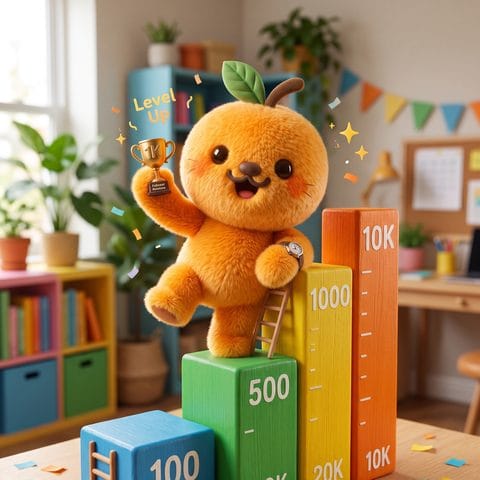
Follower Milestones
Apricotter posts to exactly three platforms — TikTok, Instagram, and Facebook — on purpose. Here's what tends to open up as your following grows on each one. Thresholds shift over time and sometimes by region, so treat these as general guidance, not guarantees.
| Platform | Milestone | What it tends to unlock |
|---|---|---|
| TikTok | ~1,000 followers | Eligible for TikTok LIVE (also requires meeting TikTok's age/account-standing rules — see Going Live below) |
| TikTok | Early growth | Access to more detailed Creator analytics as your account gets more activity |
| TikTok | 10,000+ followers | Stronger case for brand/publisher interest; historically a reference point for creator monetization programs (eligibility details change often — check your own Creator tools) |
| 1,000 followers | Eligible to go Live (public accounts only — see Going Live below) | |
| Early growth | Link stickers in Stories, swipe-up-style links become fully reliable; more detailed Insights unlock as you post more | |
| 10,000+ followers | Stronger case for Instagram's creator/partnership programs where available | |
| 100 Page followers + 60-day-old Page | Eligible to go Live from your Page (see Going Live below) | |
| Early growth | Page badges (e.g. "Rising Star," "Top Fan" prompts for your most engaged followers) start to appear |
Sources: GrowVib (TikTok), platform Live-eligibility reporting (see Going Live section for full citations)
Personal Appearances
Going Live
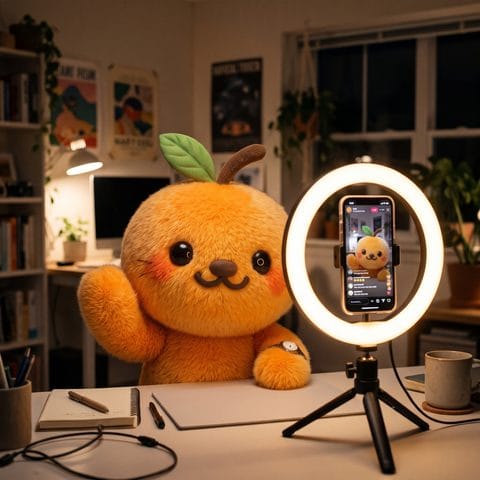
Lives are one of the few places readers get to meet the real you, unscripted — they build trust in a way a produced Reel can't. They're also entirely optional and entirely your own call; Apricotter's content engine doesn't touch Lives at all.
How often?
There's no single magic number, but a light, sustainable rhythm beats an ambitious one you abandon. A reasonable starting cadence most authors can keep up with: one Live every 2–4 weeks, tied to something real — a cover reveal, a release countdown, a Q&A, a writing update — rather than a Live for its own sake. Consistency matters more than frequency.
Eligibility, platform by platform
| Platform | To go Live, you generally need |
|---|---|
| TikTok | Around 1,000 followers, an account in good standing (no active guideline strikes). TikTok's own age rules for Live and for receiving gifts are stricter and vary — check your account's own LIVE settings for what applies to you. |
| A public account with at least 1,000 followers, the latest version of the app, and an account in good standing. (Private accounts and under-1,000 accounts currently can't go Live.) | |
| A Page (or professional profile) that's at least 60 days old with at least 100 followers, and you need Facebook or Task access to post on that Page. |
These numbers move — platforms adjust Live eligibility fairly often. If you're close to a threshold and the Go Live button isn't appearing, check your account status page on that platform directly. Sources: ttcalculator.net, DemandSage, Engadget, SocialPilot, Metricool, Tech Economy

Personal Posts
Showing Up as Yourself — Between the Videos
The videos themselves are handled for you — that's the whole point of the content engine, and it's already doing the heavy lifting on reach. What this section is about is something smaller and entirely optional: the occasional personal post that reminds readers there's a real person behind the books.
What to post
- A glimpse of your actual writing process — your desk mid-draft, a notebook full of outline scribbles, the view from wherever you write.
- A small, honest update — a word-count milestone, a plot problem you just solved, how today's session went.
- A moment from your day — nothing staged or produced, just a quick photo and a line or two of context.
- Keep it simple — a phone photo and a sentence is plenty. This isn't content that needs editing, music, or a hook; it just needs to be genuinely you.
How often
Once or twice a week is the right cadence. Enough to feel present and human alongside the video content, not so much that it starts to feel like a second content stream competing with it. These posts support the videos — they shouldn't outpace or crowd them.
What to avoid
- Oversharing personal/identifying details — specific location, daily routine, home exterior — this is for your safety as much as anything else.
- Divisive, off-brand topics — politics, religion, and other hot-button subjects unrelated to your book tend to alienate potential readers more often than they attract them. Keep the spotlight on your books, your writing life, and your genre.
- "Like this if..." / "Comment X to win..." engagement bait — platforms actively suppress reach on posts that ask for engagement just to game the algorithm, and it reads as unlike you anyway.
- Posting personal content too often — if it starts to outnumber or overshadow the video content on your profile, pull back. These posts are a complement to the content engine, not a replacement for it.
Paid Boost, Your Call
TikTok Promotes
A Promote is TikTok's own paid boost for a single video you already posted — separate from Apricotter's organic content engine, and entirely optional. Apricotter never launches or pays for a Promote on your behalf; the system only tells you which video is worth boosting and leaves the decision (and the tap of the Pay button) to you.
How it works
- Pick a video with some traction already — one that's been live at least a day and is already getting normal engagement promotes better than something brand new.
- Tap Promote — from the video's share menu (the three dots) on your own profile.
- Choose a goal — more video views, more profile visits, or more website clicks, depending on what you're trying to grow.
- Set your audience and budget — automatic targeting or your own age/gender/interest/location picks, with a budget anywhere from about $3 to
This site uses only essential analytics cookies required to operate the service. We do not use third-party advertising or tracking pixels. See our Privacy Policy for details.